
Watch in page
Watch this guide
Use the video for visual context, then follow the written steps, tables, and version notes below.
On this page
Currency and income overview
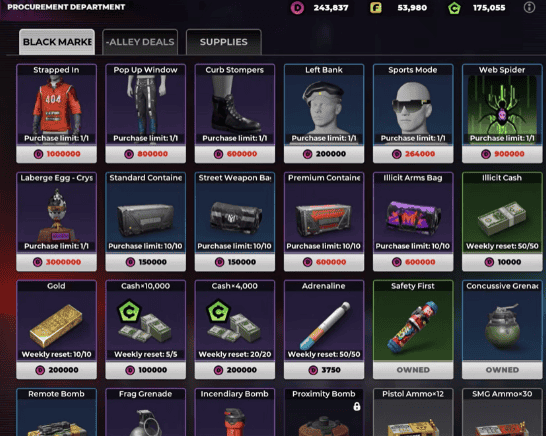
| System | Current role | Recommended treatment |
|---|---|---|
| Dirty Money | Criminal earnings that may require processing before practical use | Check the in-game label before planning a purchase. |
| Clean Money or Cash | Spendable currency for practical purchases and upgrades | Keep a reserve for progression and mission needs. |
| Diamonds | Premium currency used for selected store purchases | Avoid early cosmetic or convenience spending. |
| Businesses | Part of underground empire progression | Compare setup cost, time, and usable return. |
| Co-op heists | Crew-based earning activity | Prepare before joining; gross reward is not the same as reliable income. |
Safer earning order
- Complete story and Contact missions that unlock systems.
- Use reported transport and other side jobs when their objective, time, and payout are clear.
- Claim repeatable rewards only after confirming their reset time and requirements.
- Add co-op heists when gear and Crew access are ready.
- Process criminal earnings when Money Scrubbing becomes available.
- Expand businesses after essential weapon and vehicle costs are covered.
- Treat limited-time events as temporary income, not a permanent baseline.
Money Scrubbing and Nixon Corp
Money Scrubbing is associated with Nixon Corp and a Business Prodigy progression path. The exact unlock level, conversion loss, daily limit, processing time, and reset rule are not stated because a current in-game value set has not been preserved.
- Check the exact in-game business name and unlock prompt.
- Record the amount submitted, amount received, processing time, and reset time.
- Compare results after a version update before reusing an old rate.
Early spending order
| Tier | Spend on | Reason |
|---|---|---|
| Essential | Mission-required items, ammunition, and one reliable weapon | Prevents avoidable failure and repeated costs. |
| High value | One controllable vehicle and durable progression unlocks | Improves travel, escapes, and access to activities. |
| Conditional | Businesses with a verified usable return | Only worthwhile after cost, timer, and collection rules are known. |
| Delay | Cosmetics, duplicate weapons, and speculative upgrades | Limited effect on early progression. |
How to compare farming methods
A useful comparison records gross reward, entry cost, ammunition or repair cost, completion time, failure rate, cooldown, prerequisites, and game version. The highest single payout is not automatically the best repeatable method.
Version and availability notes
Available now: Co-op heists, underworld businesses, empire expansion, luxury property, vehicles, weapons, and limited-time rewards exist.
May vary by account or version: The exact Dirty Money conversion path, Nixon Corp and Business Prodigy requirements, conversion loss, and daily processing limits still need a current in-game record.
Unlock levels, costs, rewards, conversion rates, and balance values can change by version or region. Follow the current in-game label when it differs.