
Watch in page
Watch this guide
Use the video for visual context, then follow the written steps, tables, and version notes below.
On this page
Map and mini-map overview
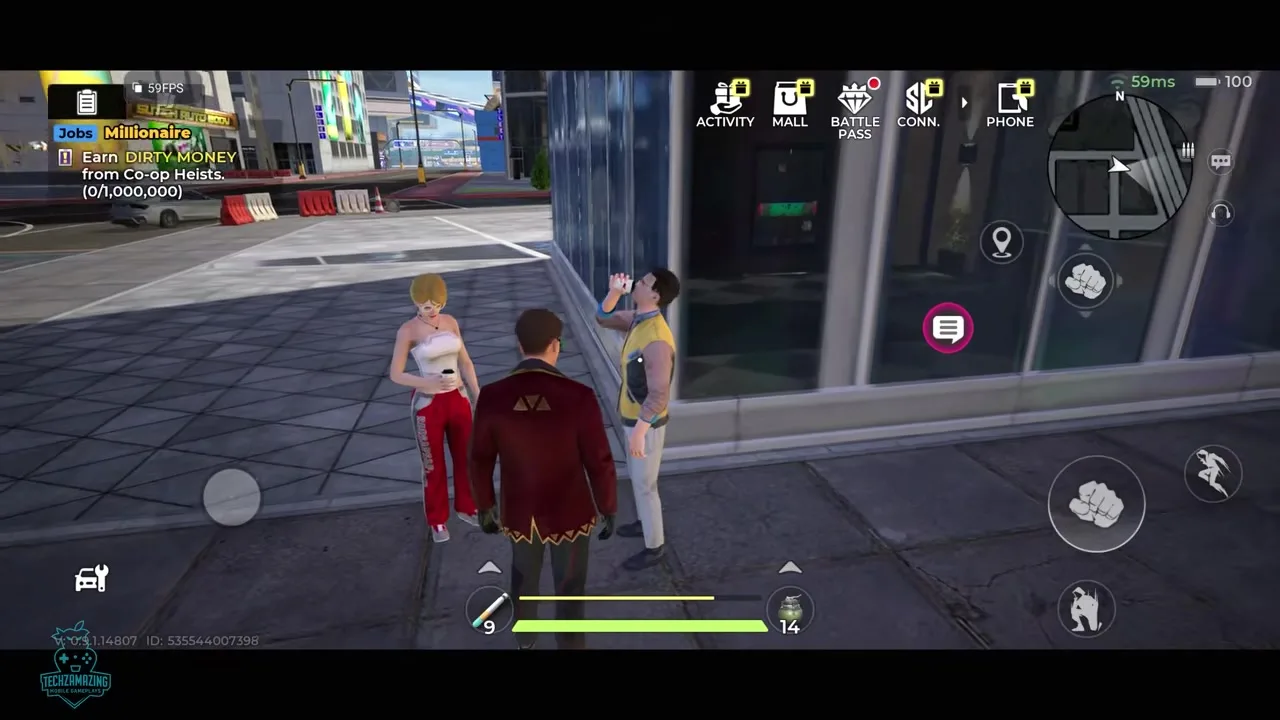
| Map feature | How to use it |
|---|---|
| World name | Rooklyn is the open-world city; Mirage City is also used for the setting and game identity. |
| Tracked objective | Select a task, then follow its HUD and mini-map route. |
| Police activity | Watch the mini-map together with the Wanted display before starting another activity. |
| Shops and services | Markers appear as the account unlocks their related systems. |
| District boundaries | Follow in-game labels; a complete named district list is not currently shown here. |
| Collectibles and exact pins | Use the current client because a complete coordinate directory is not available. |
Location-type directory
| Location type | Why it matters | How to verify it in play |
|---|---|---|
| Story and Contact objectives | Advance progression and unlock systems | Track the active objective and preserve the mission title |
| Police activity | Shows immediate pursuit risk | Compare mini-map contacts with the Wanted display |
| Apartments or safe interiors | Home, access point or possible heat-management route | Record ownership state and entry result |
| Weapon shops | Equipment acquisition or upgrades | Record unlock, accepted currency and stock |
| Vehicle dealers and garages | Purchase, store, repair, customize or recall vehicles | Check which functions appear at that exact location |
| Company or business sites | Criminal-empire progression and money systems | Record Company level and prerequisite |
| Race starts and events | Vehicle or limited-time activity | Record event name, schedule and entry rule |
| Crew heists | Co-op objective access | Record team and mission prerequisites |
How to read current mini-map signals
Mission navigation and police awareness are the most dependable mini-map uses. Shops, apartments and other service markers appear as systems unlock, while exact icon art and timing can vary with account progress. Keep a marker as a category until the in-game label confirms a named location.
| Visible signal | Safe interpretation | Do not assume |
|---|---|---|
| Tracked objective | A selected task has a navigation target | Every objective is permanently available |
| Police contact or Wanted UI | Police pressure is nearby or active | The icon proves a fixed police spawn |
| Shop marker | A service exists or is unlocked nearby | Every shop accepts every currency |
| Apartment or interior | A usable property or interior is present | Every interior always clears Wanted pressure |
| Race or event marker | An activity is currently available | The event is permanent across all regions |
Map size and district limits
No confirmed square-kilometer figure, boundary file, block count or reliable comparison with Gangstar Vegas is available. Contestable territory shows that the city contains separate areas, but it does not reveal their names, measurements or coordinates.
- Do not calculate map area from a promotional screenshot without scale.
- Do not turn mission locations into permanent open-world pins without replay checks.
- Do not use a district name unless the client displays the same label.
- Do not treat collectible coordinates from one account as universal without version and collection-state checks.
Find a location by activity
| Activity | Look for | Check before travelling |
|---|---|---|
| Mission | Tracked story, Contact, Company, job, or Crew objective | Prerequisite and active objective |
| Equipment | Weapon shop or equipment service marker | Unlock state, stock, and accepted currency |
| Vehicle | Dealer, garage, race start, or mission vehicle marker | Storage, repair, recall, and entry rules |
| Property | Apartment, Company, or business marker | Ownership and progression requirement |
| Event | Race, heist, or limited activity marker | Schedule, region, team, and entry rule |
Continue by task
- Open the missions hub — Choose story, Contact, Company, job or Crew objectives.
- Open the vehicles guide — Select a vehicle for travel, races and getaways.
- Open the Wanted Level guide — Manage police pressure while crossing the city.
- Open the beginner guide — Follow the safest first-hour unlock order.
Version and availability notes
Available now: Rooklyn is the open-world city and includes streets, alleys, races, garages, heists, businesses and Crew activity.
May vary by account or version: Exact mini-map icons, district labels, apartment and shop unlock states, map area and web coordinates remain incomplete.
Unlock levels, costs, rewards, conversion rates, and balance values can change by version or region. Follow the current in-game label when it differs.